Before you check out, you can change anything in your cart. After you place an order, there’s no button to edit or cancel it, so contact us right away with your order number and the change you need. While we’re waiting for your file or asking for a fix, you can upload a new file yourself on the order page.
How do I change an item in my cart?
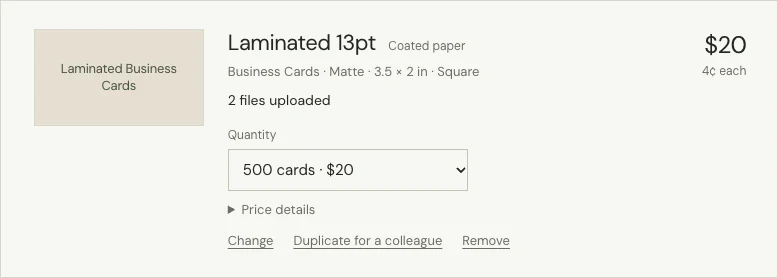
- Quantity: choose a new one from the list, and the price updates. For a design made in our online designer, choose “Change” to change the quantity.
- Change: takes you back to the product page with your choices and design. Make your changes, check the review page and choose “Update cart”. The new version replaces the old line.
- Duplicate for a colleague: adds a copy at the end of your cart with its own design, for example the same card with a colleague’s name. It’s priced as a separate item.
- Remove: takes the line out of your cart.
Can I change an order after I’ve placed it?
Contact us as soon as you can through the contact form with “Order help” chosen. Tell us your order number and exactly what should change. We’ll check where your order is and tell you what’s still possible. Once it’s in production, changes may not be possible, and once the carrier has your parcel, we can’t change the delivery address.
Can I send a different file?
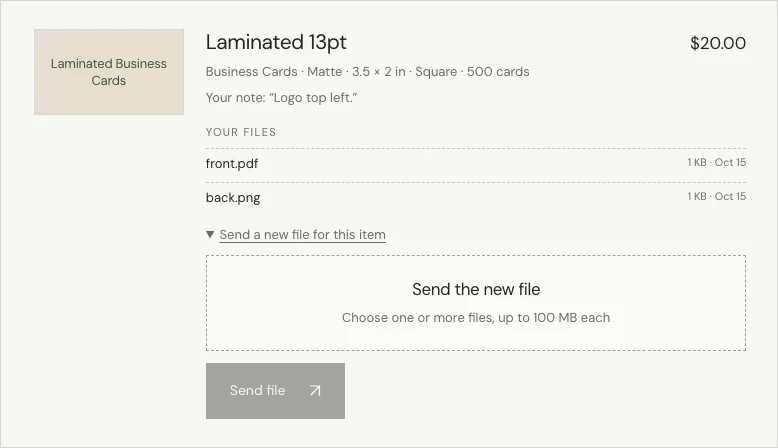
Yes, while your order shows “Waiting for your files” or “Your file needs a fix”. Open your order page and upload the new file under the item it’s for. At any other stage, contact us first.
How do I order the same thing again?
There’s no reorder button. How you order again depends on how you made the design:
- Made in our online designer: log in, open My designs in your account and choose “Open in studio”. Check the design, then order it again.
- Uploaded file: open your earlier order to see the options you chose, pick the same ones on the product page and upload the file again.
Not sure which options you used? Contact us with the earlier order number before you order.