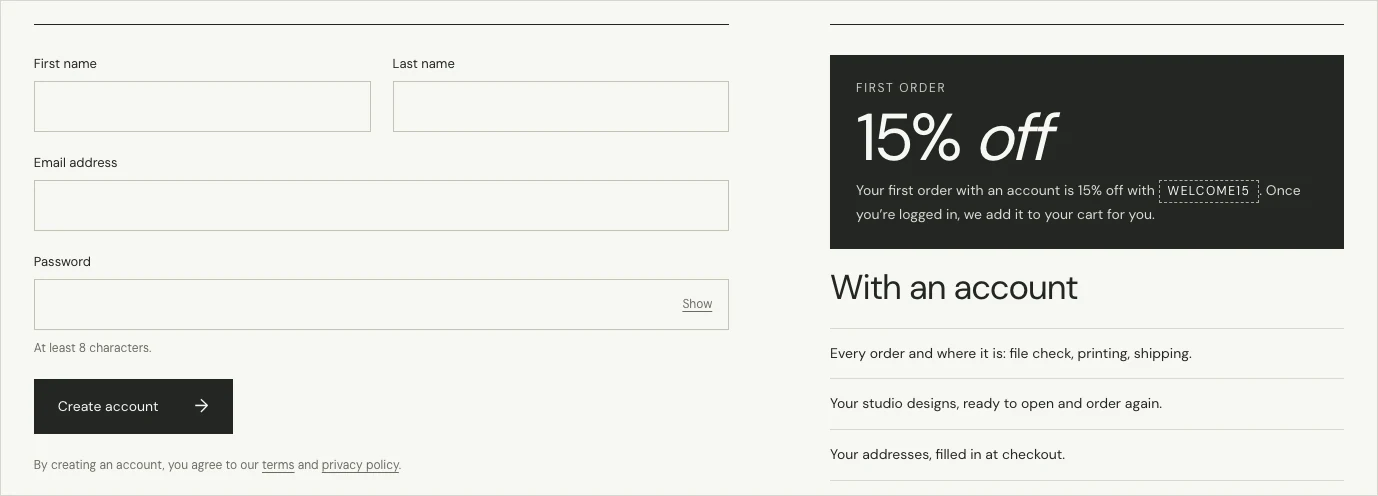
You can order without an account. If you create one, you get 15% off your first order, applied automatically, and one place for your orders, the designs you make in our online designer and your addresses. To sign up, choose Log in at the top of any page, then “Create an account”.
How do I create an account?
- Choose Log in at the top of the page, then “Create an account”, or go straight to the sign-up page.
- Enter your first name, your last name if you like, your email address and a password of at least 8 characters.
- Choose “Create account”. You’re logged in straight away, with no email to confirm.
If you see “Continue with Google”, you can sign up with your Google account instead.
How does the 15% first-order discount work?
When you’re logged in and haven’t ordered before, the code WELCOME15 is added to your cart automatically, and the discount shows in your cart and at checkout. Orders you placed without an account under the same email address count as earlier orders.
What can I do in my account?
- My orders: see each order’s status, files, tracking and invoice.
- My designs: reopen designs you made in the online designer and order them again.
- Addresses: save the addresses you ship to.
- Your details: change your name and phone number.
- Password: get a link to set a new password.
I ordered before I had an account. Can I see that order?
Yes. Under “An earlier order” in your account, paste the order link from your confirmation email. We email the address on that order a link. Open it there, and the order joins your account.